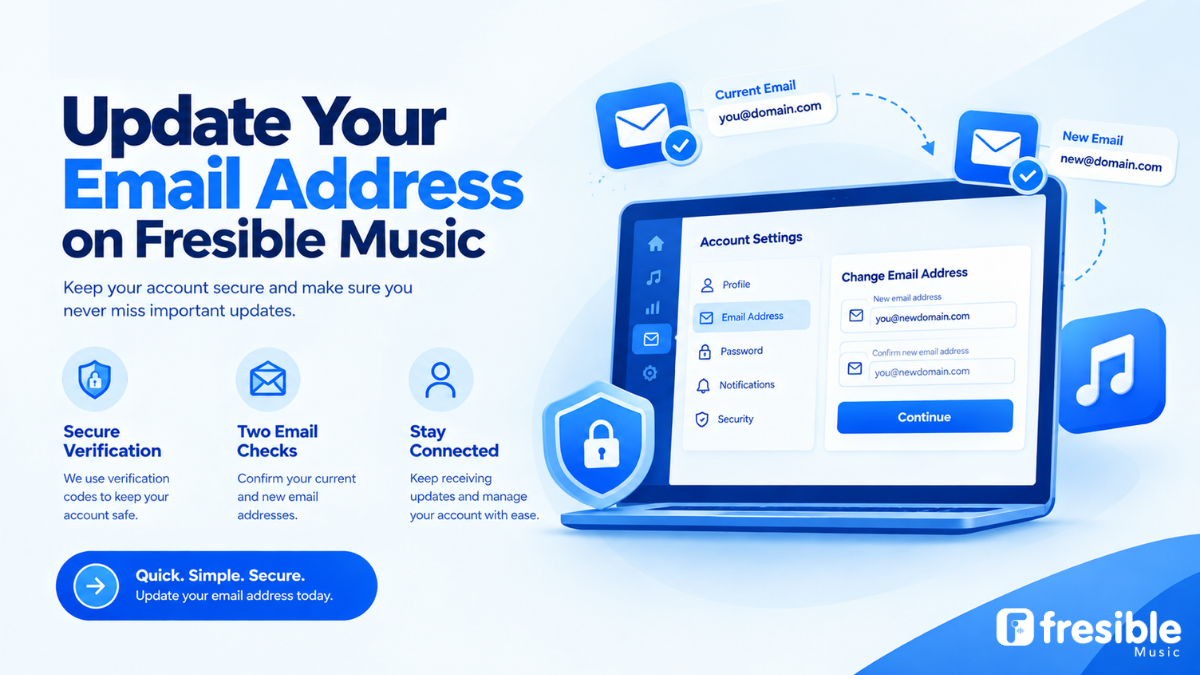
Can You Change Your Fresible Music Email Address?
Yes. Fresible Music allows users to change their account email address.
The process includes security checks to help confirm that the person making the change has access to the account and the relevant email addresses.
To complete the process, you will need:
- Your account password
- A verification code sent to your current email address
- A verification code sent to your new email address
You must be able to access your current email inbox to complete the standard email change process.
How to Change Your Email Address on Fresible Music
Follow these steps to update your account email.
Step 1: Log in to your Fresible Music account
Open Fresible Music and sign in to your account using your existing login details.
Make sure you are accessing the correct account before making any changes.
Step 2: Open your account settings
Go to the section where you can manage your account information and email address.
Select the option to change or update your email address.
Step 3: Enter your password
You will be required to provide your account password as part of the security verification process.
This helps confirm that the email change request is being made by an authorised account user.
Step 4: Verify your current email address
A verification code will be sent to your current email address.
Open your existing inbox, retrieve the code and enter it where requested.
You need access to your current email address to complete this step.
Step 5: Enter your new email address
Provide the new email address you want to use for your Fresible Music account.
Make sure the email address is correctly entered and that you can access the inbox.
Step 6: Verify your new email address
A verification code will be sent to your new email address.
Open the new inbox, retrieve the code and enter it into the verification field.
Step 7: Complete the email change
Once the required security checks have been completed, your email address can be updated.
Make sure you remember the new email address you used for your account.
Why Does Fresible Music Require Two Email Verification Codes?
Changing the email address connected to your account is an important account security action.
Fresible Music uses verification codes sent to both your current and new email addresses as part of the process.
This helps verify access to the existing email address and confirm access to the new email address you want to use.
You should never share your verification codes or account password with another person.
What If You No Longer Have Access to Your Current Email?
If you have lost access to your current email inbox, you may not be able to complete the standard email change process.
The current email verification step requires access to the inbox where the code is sent.
If you no longer have access to your current email address, contact Fresible Music Support for assistance.
You can reach the team at:
[Contact Fresible Music Support]
When contacting support, explain that you no longer have access to your current email address and need help updating your account information.
How Often Can You Change Your Email Address?
Fresible Music allows users to change their account email address once a month.
If you have recently changed your email address, you may need to wait until the next eligible period before making another change.
For this reason, make sure the new email address you choose is one you expect to use and can access reliably.
What If You Signed Up With Google?
If you originally created your Fresible Music account using Google, you may need to set a password for your account first.
This is important because the email change process requires your account password as part of the verification steps.
If you signed up with Google and have not yet set a password, complete that step before attempting to change your email address.
Tips Before Changing Your Email Address
Before you start the process, keep the following points in mind.
Make sure you can access your current inbox
You will need to receive a verification code at your existing email address.
Check that your new email address is correct
Review the spelling of your new email address before submitting it.
Use an email address you regularly access
Your account email can be important for receiving account-related communication, so choose an inbox you can manage consistently.
Keep your password private
Never share your password or verification codes with anyone claiming to help you change your email address.
Frequently Asked Questions
Can I change my Fresible Music email address myself?
Yes. Users can change their email address through the account settings, subject to the required verification steps.
What do I need to change my email address?
You need your account password, access to your current email inbox and access to your new email inbox.
Why do I need a code from my current email?
The current email verification code is part of the security process used to confirm access to your existing email address.
What if I cannot access my old email?
Contact Fresible Music Support for assistance if you no longer have access to your current email inbox.
How often can I change my email address?
You can change your email address once a month.
Can Google sign-up users change their email address?
Google sign-up users may need to set a password first because the email change process requires account password verification.
Will I receive a verification code at my new email address?
Yes. A verification code is sent to the new email address you enter during the change process.
Keep Your Fresible Music Account Information Up to Date
Having access to the email address connected to your Fresible Music account helps you manage your account and receive important communication.
If your email address has changed, use the account settings to update it and complete the required verification steps.
If you no longer have access to your current email inbox, contact support before attempting to make the change.
Ready to update your account email?
[Log In to Your Fresible Music Account]
Need assistance?