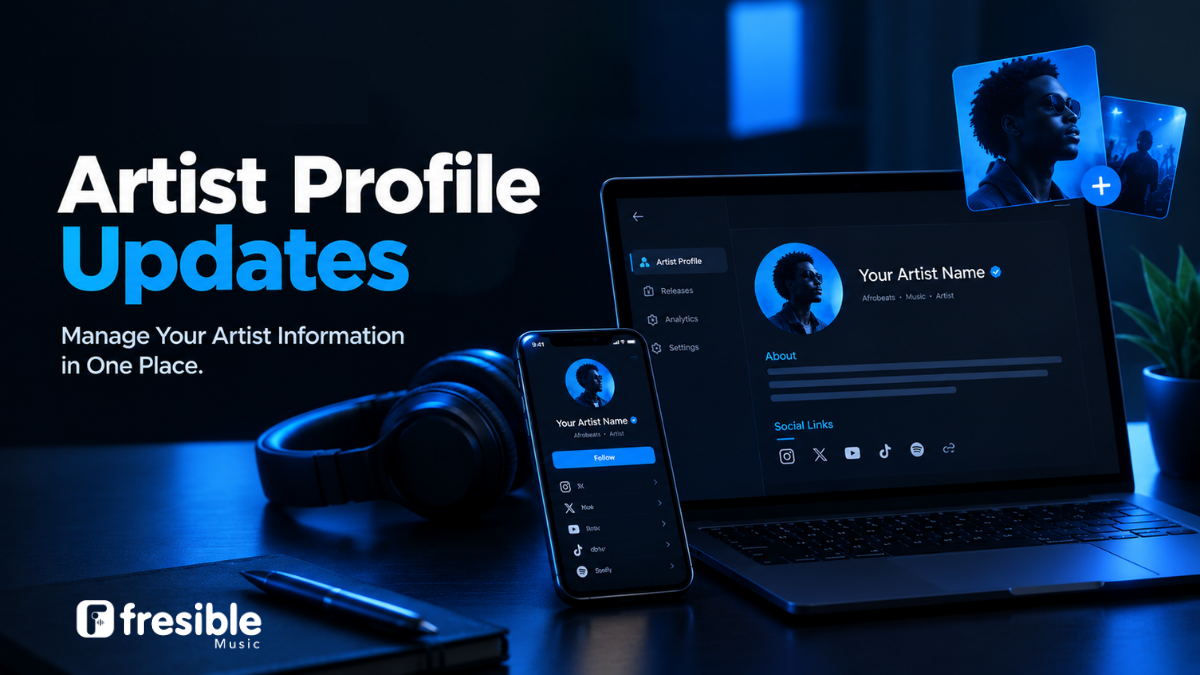
Update Your Artist Profile Once With Fresible Music
Your artist profile is an important part of how listeners discover and connect with your music.
Your profile photo, biography and social media links help listeners understand who you are and find you beyond streaming platforms. As your career develops, you may need to update your branding, introduce a new image or add your latest social media accounts.
With Fresible Music’s Artist Profile Updates feature, you can update key artist information in one place. Changes to your artist photo, bio and social links are reflected across your profile, including Smartlink pages for releases that are already live.
This makes it easier to keep your artist information consistent without having to update each existing Smartlink page individually.
What Can You Update?
Fresible Music allows you to update the following artist profile information:
- Artist photo: Refresh your profile image to reflect your current branding or appearance.
- Artist biography: Update your story, background, achievements or introduction.
- Social media links: Add or update links to your social media platforms so listeners can find and follow you.
These details can help you present a more consistent identity to your audience.
How Artist Profile Updates Work
When you update your artist profile information on Fresible Music, the changes are applied across your profile and existing Smartlink pages connected to your live releases.
For example, imagine you released a song several months ago and the Smartlink page still displays an older artist biography or profile photo.
Instead of needing to create a new release or manually update each Smartlink page, you can update your artist profile information once.
Your updated information will also appear on the Smartlink pages for releases that are already live.
Example: Updating Your Artist Biography
Suppose you previously used this biography:
Independent artist creating music inspired by everyday experiences.
After releasing more music and developing your sound, you may want to update it to reflect your current direction:
Independent Afrobeats artist blending contemporary sounds with personal stories and energetic performances.
Updating your artist biography helps your profile better reflect who you are now.
Why Keeping Your Artist Profile Updated Matters
1. Present a consistent artist identity
Your artist photo, biography and social links should represent your current brand. Keeping them updated can help provide a more consistent experience for listeners.
2. Keep your Smartlink pages current
Your Smartlink pages can continue directing listeners to your music while displaying updated artist profile information.
This is particularly useful when you have several releases already available.
3. Help listeners connect with you
Adding accurate social media links gives listeners a direct way to discover your online presence and follow your work.
4. Reflect your growth as an artist
Your music career can change over time. You may develop a new sound, update your visual identity, or want to introduce your audience to a new stage of your journey.
Your artist profile should be able to evolve with you.
What Happens to Your Artist Name on Existing Releases?
It is important to understand the difference between updating your artist profile and changing the artist name attached to a release that has already been distributed.
Updating your artist profile does not change the artist name on an already released title.
The artist name on a title that has already been shipped remains as it was originally submitted.
If you need to change the artist name associated with an existing release, you should contact Fresible Music support for guidance on the available process and requirements.
This distinction helps you understand which profile details can be updated directly and which release information may require a separate request.
Best Practices for Your Fresible Music Artist Profile
To keep your profile useful and professional, consider the following recommendations.
Use a clear artist photo
Choose a high-quality image that represents your artist identity and is suitable for use across your profile and Smartlink pages.
Write a clear and genuine biography
Your biography should introduce you to listeners. You can include your musical style, background, influences and relevant career highlights.
Avoid adding information that is inaccurate or difficult to verify.
Keep your social links accurate
Check that your social media links direct listeners to the correct accounts. Remove outdated links and update them when your official profiles change.
Review your profile regularly
Your profile does not have to remain the same throughout your career. Review your information periodically and make updates when your branding or artist details change.
How to Update Your Artist Profile on Fresible Music
To update your artist profile:
- Sign in to your Fresible Music dashboard.
- Open your artist profile settings.
- Update your artist photo, biography or social media links.
- Review the information you entered.
- Save your changes.
Once your profile information is updated, the changes can be reflected across your profile and the Smartlink pages for your existing live releases.
The exact navigation may depend on the current dashboard interface.
Frequently Asked Questions
Which artist profile details can I update?
You can update your artist photo, biography and social media links.
Will my updated profile information appear on existing Smartlink pages?
Yes. Updates to your artist photo, biography and social links are reflected on Smartlink pages for releases that are already live.
Can I change the artist name on an already released title through my profile?
No. The artist name on an already released title remains as it was originally shipped. A separate request may be required for an artist name change.
Do I need to update every Smartlink page separately?
No. The Artist Profile Updates feature allows your artist photo, biography and social links to be updated in one place, including on existing Smartlink pages.
Why should I keep my artist profile updated?
An updated profile helps you maintain consistent artist information, present your current identity and make it easier for listeners to connect with you through your social media links.
Keep Your Artist Profile Current With Fresible Music
Your artist profile is more than a photo and biography. It is part of how listeners recognise your identity and connect with your music.
With Fresible Music’s Artist Profile Updates feature, you can manage your key profile information in one place and keep your existing Smartlink pages aligned with your current artist identity.
Keep your profile updated as your music career grows.
Start Distributing With Fresible Music